Recover a table cancellation with a WhatsApp waitlist
Turn last-minute no-shows into seated guests using a simple WhatsApp waitlist system.
Recover a table cancellation with a WhatsApp waitlist
Turn last-minute no-shows into seated guests using a simple WhatsApp waitlist system.
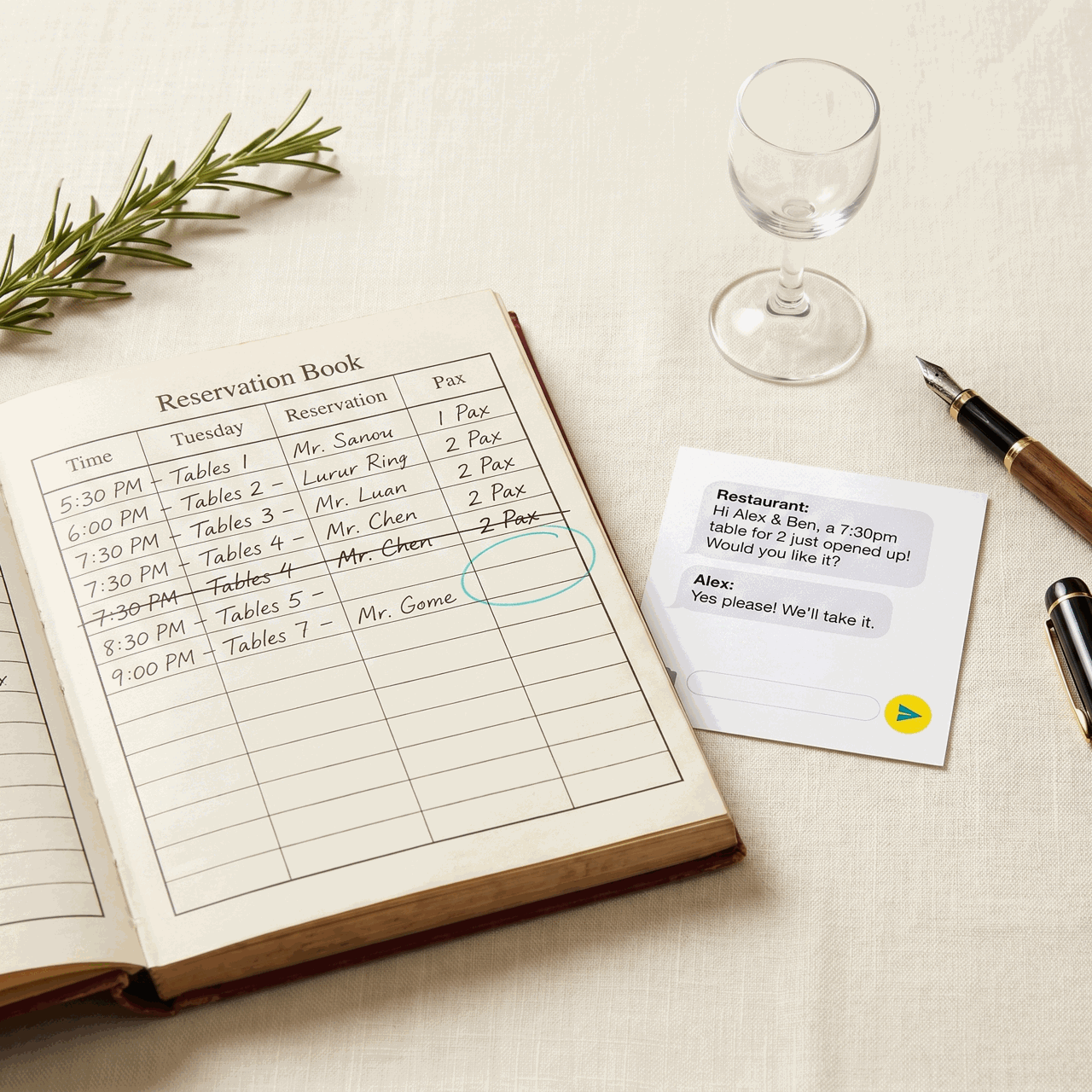
A table cancellation at 6:45 p.m. on a Friday night used to mean one thing: an empty seat bleeding revenue. You've already paid your staff, prepped the food, and turned away walk-ins earlier in the week. That gap in the dining room is pure loss.
The good news is that a well-run WhatsApp waitlist can fill that seat in under 20 minutes — without a reservation platform taking a cut, without a phone tree, and without pulling your floor manager away from the room.
1. Build your waitlist before you need it
The worst time to build a waitlist is when a cancellation just landed. Start collecting names now. Ask guests who call for a reservation on a full night if they'd like to be on a WhatsApp waitlist for last-minute openings. Add a line to your Instagram bio: "Full tonight? DM us to join the waitlist." Put a small card on your host stand for walk-ins you have to turn away.
Keep the list simple: name, party size, and the evenings they're available. A shared note or a basic spreadsheet works fine. The point is having warm, willing people ready before a gap appears.
2. Respond to cancellations within five minutes
Speed is everything here. The moment a cancellation comes in, your window to fill the seat starts closing. Guests on your waitlist are also looking at other options — they didn't stop making plans just because you were full.
Set a clear internal rule: whoever takes the cancellation immediately alerts the person managing the waitlist. That handoff should take less than 60 seconds. If you're a small team, that person might be you. The faster you move, the higher your fill rate.
3. Send a personal, low-pressure WhatsApp message
Don't send a mass blast to your whole list. Work through it in order — first come, first served builds trust — and send a short, direct message to the first matching party size:
"Hey [Name] 👋 A table for 2 just opened up tonight at 7:30 at [Restaurant]. Interested? Let me know in the next 10 minutes and it's yours."
A few things that make this message work:
- It's personal. You used their name. It doesn't feel like spam.
- It creates urgency without being pushy. A 10-minute window is real, not manufactured pressure.
- It's easy to say yes to. One reply and they're in.
If they don't respond in 10 minutes, move to the next person on the list. No hard feelings — they knew the deal.
4. Confirm instantly and send the details
The moment someone says yes, reply immediately with everything they need:
"Perfect! See you at 7:30. We're at [address]. Ask for [host name] and mention you're the WhatsApp booking. Looking forward to it! 🍽️"
This confirmation does two things. First, it locks the guest in psychologically — they've received real information and feel taken care of. Second, it gives your host stand a heads-up so the guest doesn't arrive to confusion. A smooth arrival turns a salvaged seat into a great experience they'll talk about.
5. Close the loop after service
After the guest visits, send a quick follow-up the next day:
"Thanks for coming in last night on short notice — you saved our evening! Hope you enjoyed it. We'd love to see you again soon. 🙏"
This one message does more work than most marketing spend. It makes the guest feel like an insider, not a fill-in. It increases the chance they book again. And it keeps them warm on your waitlist for next time. Guests who've been through this process once almost always say yes faster the second time.
Managing a waitlist, drafting the right message at the right moment, and following up after service are exactly the kind of tasks that fall through the cracks on a busy night — not because they're hard, but because you're already doing six other things. A Sidekyk can handle all of it for you over WhatsApp: monitoring your list, sending the fill message when a gap opens, confirming the booking, and firing off the follow-up the next morning. Text your Sidekyk when a cancellation drops and let it take it from there. Try it at sidekyk.ai.
Want this running in your WhatsApp every Monday morning?
Drop your number — we'll WhatsApp you the moment Restaurants goes live.
Join the waitlist on WhatsAppPowered by SideKyk · A team of AI agents in your WhatsApp